Dutch BRP Registration: A Step-by-Step Guide for Expats
Moving to the Netherlands is an exhilarating adventure. Between picturesque canals, cycling cultures, and delicious stroopwafels, there is plenty to...
Read more
This article was written by AI and published by StroopTaal.
AI can get things wrong. For anything official, check the source it points to.
AI-generated image
If you have recently moved to the Netherlands or are navigating Dutch administrative life for the first time, you have likely encountered the term DigiD. Short for Digitale Identiteit (Digital Identity), DigiD is the secure digital key that connects you to virtually all public services in the Netherlands. Whether you need to file your annual income tax return, check health insurance statements, communicate with your municipality (gemeente), or book an appointment with the immigration office (IND), your DigiD is essential.
In recent years, the Dutch government has tightened security protocols significantly. Relying solely on a username and password is no longer sufficient for most sensitive governmental portals. Today, setting up Two-Factor Authentication (2FA)—known in Dutch as twee-factor-authenticatie—via either the DigiD app or SMS verification is mandatory to access services like the Tax Administration (Belastingdienst) and patient portals.
In this comprehensive guide, we will walk you through everything you need to know: what DigiD is, what prerequisites you must meet, step-by-step instructions to apply for and activate your account, how to configure two-factor authentication, and essential Dutch terminology to help you master the process.
DigiD is an electronic authentication system managed by Logius, the digital government service of the Dutch Ministry of the Interior and Kingdom Relations. It serves as your official government identity online, verifying to government agencies, pension funds, educational institutions, and healthcare providers that you are who you claim to be.
The Dutch government classifies digital security into four distinct assurance levels:
Most everyday tasks—such as checking your medical records, applying for Dutch childcare benefits (kinderopvangtoeslag), or filing taxes—require at least the Midden or Substantieel level. Setting up 2FA ensures that even if someone steals your login credentials, they cannot access your confidential records without your secondary physical device.
Before initiating your DigiD application on the official DigiD portal, ensure you have gathered the following essentials:
Setting up your DigiD takes two main phases: requesting the account online and completing activation after receiving an activation letter in your physical mailbox.
digid.nl/aanvragen (you can switch the interface language to English in the top-right corner).Due to strict security laws, DigiD does not activate accounts purely online during first-time registration. Within 3 business days, a physical letter containing an activation code (activeringscode) will arrive at your registered home address. Keep an eye out for municipal and government envelopes when checking your post; if you are new to the country, learning about recognizing official Dutch administrative mail can help you avoid accidentally misplacing critical documents.
Note: The activation code in the letter is valid for exactly 21 days from the date printed on the document. If you do not activate it within this window, you must restart the application from scratch.
Once your activation letter arrives, you have two primary methods to enable two-factor authentication: the DigiD App (preferred) or SMS Verification.
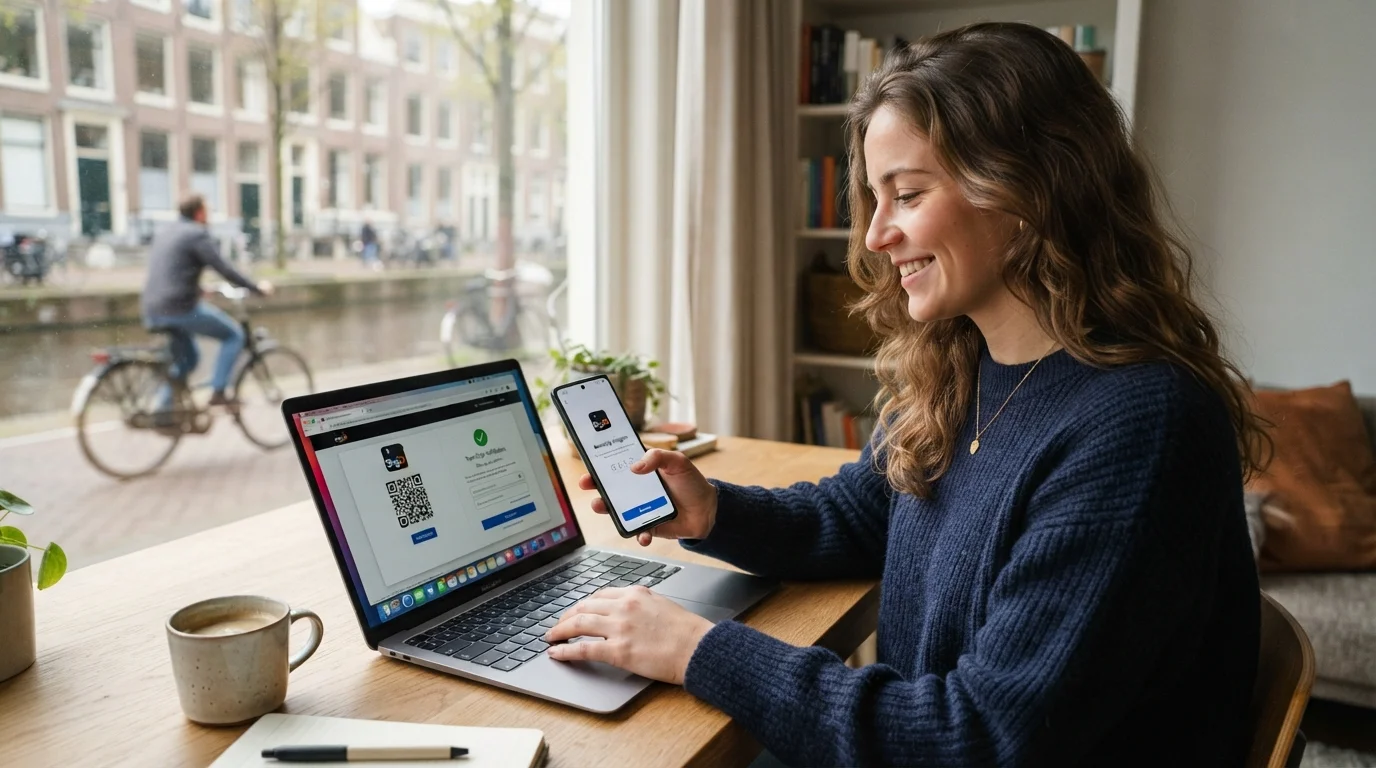
The DigiD app is the most convenient and secure way to log into government portals. Instead of typing SMS codes or complex passwords each time, you simply scan a QR code on your computer screen and enter a 5-digit PIN on your phone.
After activating the app, you may be prompted to perform a one-time identity verification (ID-check). This unlocks the Substantieel level, required by many pension funds, hospitals, and educational boards.
To complete this, hold your biometric passport, European ID card, or Dutch residence permit against the back of your smartphone. The app uses NFC (Near Field Communication) to read the encrypted chip in your document. Once verified, a green checkmark will appear in your app indicating that the ID-check is active.
If your mobile device does not support the DigiD app or you prefer using standard text messages, you can set up 2FA via SMS:
digid.nl/activeren on your web browser.While government interfaces increasingly offer English translations, notifications, letters, and specialized portals often remain entirely in Dutch. Building your administrative vocabulary makes navigating these systems seamless.
If you want to feel confident reading administrative letters and communicating with municipal authorities, using StroopTaal can accelerate your progress. With StroopTaal's AI-powered personalized learning plans and real-life Dutch conversation practice, you can master practical scenarios—like clarifying tax questions or discussing municipal paperwork—without fear or hesitation.
Even with a clear process, expats and learners often run into a few common hurdles:
Double-check that your surname is clearly visible on your physical letterbox. In the Netherlands, PostNL postal carriers will often withhold government mail if the recipient's name is not displayed on the mailbox outside the house or apartment complex. If 5 business days have passed, verify your registration address with your gemeente and request a new code online.
If you change your phone number and no longer have access to your old number or the DigiD app, you cannot simply update it via email for security reasons. You will need to log into Mijn DigiD using the app, or submit a request to update your phone number, which will trigger a new SMS confirmation process.
If your phone struggles to read your passport or residence card chip, remove any thick protective phone cases. Slowly slide the document across the top back portion of your phone until you feel a vibration, and hold it completely still for 5 to 10 seconds until the progress bar completes.
Once your DigiD is active with 2FA, a wide array of essential Dutch online portals becomes accessible instantly:
Practicing Dutch administrative vocabulary and understanding everyday cultural procedures is key to settling smoothly in the Netherlands. By combining interactive vocabulary building with spaced repetition through apps like StroopTaal, you can transition from decoding letters word-by-word to managing all your civic duties in Dutch with total confidence.
To recap, here is your quick roadmap to getting your DigiD up and running:
digid.nl.With your DigiD secured by two-factor authentication, your digital administrative life in the Netherlands is safe, compliant, and ready for whatever comes next.
Share this article:
Moving to the Netherlands is an exhilarating adventure. Between picturesque canals, cycling cultures, and delicious stroopwafels, there is plenty to...
Read moreIf you have recently moved to the Netherlands, your first trip to a local supermarket probably came with a mild shock at the checkout. You might have...
Read moreRelocating to the Netherlands is filled with milestones: finding a house, getting a BSN, picking out your commuter bicycle, and settling into Dutch...
Read more