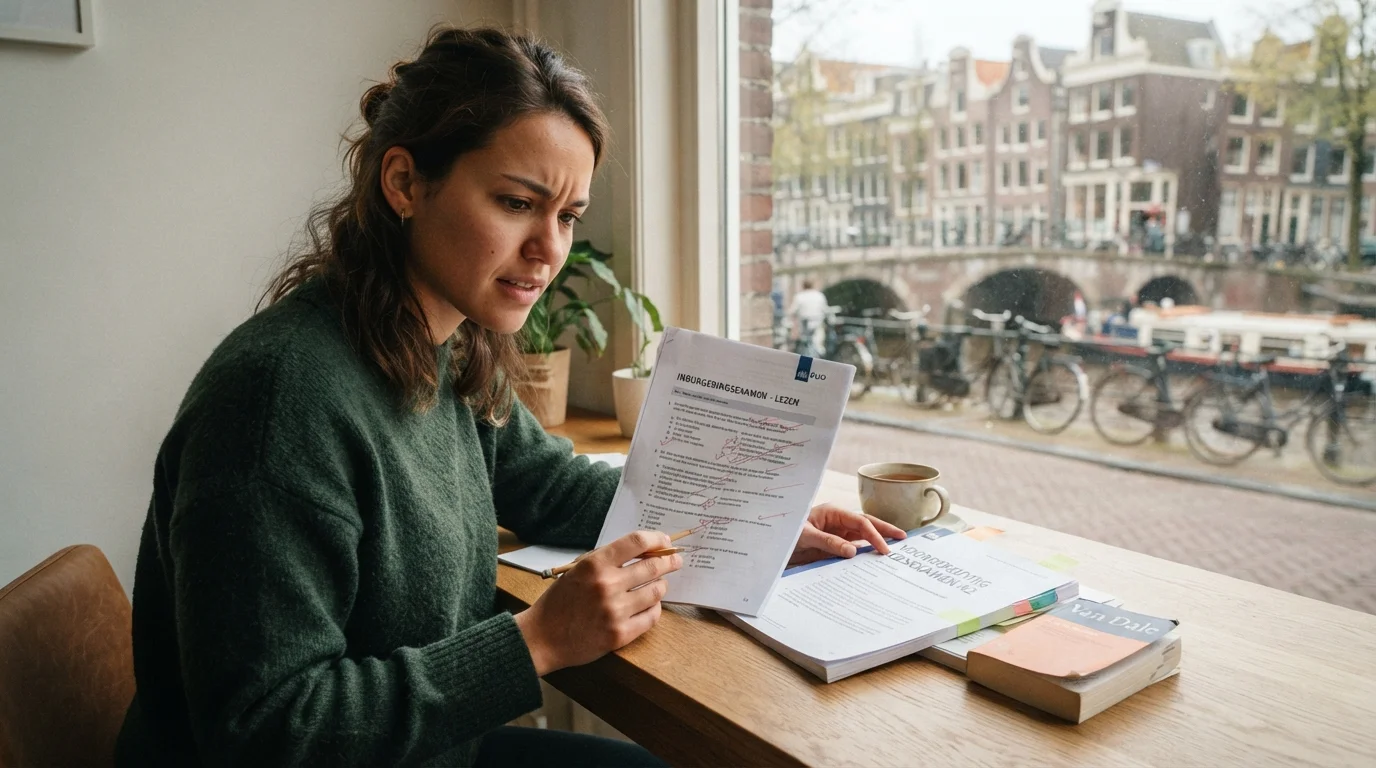
5 Common Mistakes on the Inburgering Reading Exam and How to Avoid Them
Mastering the Dutch Inburgering Reading Exam (Lezen) Preparing for the Dutch civic integration exam (Inburgeringsexamen) can feel like navigating a...
Read more
This article was drafted by AI and edited by a person before it was published.
AI can get things wrong. For anything official, check the source it points to.
Preparing to register for the inburgering exam can feel overwhelming, especially if you're new to the Netherlands or still learning Dutch. This guide walks you step-by-step through the Mijn Inburgering portal, explains what documents and choices you need, and offers practical tips to make registration smooth so you can focus on studying and passing the exam.
Registering correctly for the inburgering exam isn't just a bureaucratic task: it's the first formal step toward proving your Dutch language and civic knowledge. A simple mistake in the registration process can delay your exam date, cause problems with your municipality or the IND, or cost you time when you're aiming to meet legal or residency requirements.
Mijn Inburgering is the online portal where candidates manage their inburgering process. Through this secure government-backed site you can register for exams, view results, check appointments, and access information about the inburgering trajectory. For authoritative information about regulations and timelines, the government.nl site and the IND pages are essential references.
Mijn Inburgering is the official DUO (Dienst Uitvoering Onderwijs) self-service portal where you register for integration exam components, review your integration term (inburgeringstermijn), and track your financial loan balance. Once logged in, candidates can view their active trajectory under either the Wi2013 or Wi2021 integration law. From the dashboard, you can reschedule exams if needed, download proof of participation, and learn how to check your inburgering exam results on Mijn Inburgering directly after grading. If you are financing your language courses through a government loan, the portal also displays your approved budget and payments disbursed to certified language schools.
To log in for your inburgeren with DigiD (frequently searched as 'invurgurren DigiD' by new learners), go directly to inburgeren.nl and select 'Inloggen op Mijn Inburgering'. DigiD acts as your secure Dutch digital identity, confirming your BSN before granting access to your personal integration record. You must verify your login using either the DigiD mobile app with a PIN code or SMS verification; standard username-and-password verification without two-factor authentication is no longer permitted for secure civic portals. If you encounter login errors or an invalid session message, clear your browser cache, check if DigiD is experiencing scheduled maintenance on digid.nl/en/status, or verify that your registered address with the municipality (Gemeente) matches your BSN. If your integration period is running out due to technical or administrative delays, review our guide on how to extend your Dutch civic integration deadline.
Gather these items before you log into Mijn Inburgering. Having everything ready speeds up the process and reduces the risk of errors.
Follow these practical steps to ensure a successful registration:
Even careful applicants make mistakes. Here are the most frequent issues and how to prevent them:
Once you’ve registered, focus on effective study rather than panic. Use these study strategies tailored for the inburgering exam:
Show up prepared to avoid in-person complications:
For tips on dressing appropriately and comfortably for an exam, see our article on What to Wear to Your Dutch Civic Integration Exam.
Exam processing times vary. You’ll usually receive results through Mijn Inburgering or email. If you pass all components, you’ll receive certification and guidance on how to submit it to relevant authorities. If you fail a module, the portal will explain retake procedures and available dates.
Mijn IND is the personal immigration portal operated by the Immigratie- en Naturalisatiedienst (IND), whereas Mijn Inburgering is managed separately by DUO. While both portals require DigiD for login, they serve distinct purposes in your integration journey. You use Mijn IND to submit residence permit applications, monitor permanent residency requests, track naturalization decisions, and view IND correspondence. In contrast, you use Mijn Inburgering exclusively for exam bookings, civic exam fee payments, DUO loan administration, and checking module scores. Once you pass all required civic integration modules, DUO automatically transmits your passing status and diploma details to the IND database. Consequently, you do not need to manually upload exam certificates to Mijn IND when applying for permanent residence or Dutch citizenship, as the IND verifies your completion directly against DUO records.
Beyond registration mechanics, here are actionable techniques that improve your passing chances:
Some applicants qualify for exemptions or alternative routes (e.g., refugees, people with severe medical conditions, or those with previous Dutch education). If you believe you qualify, contact the IND or your municipality for guidance and upload supporting documentation to Mijn Inburgering.
Reliable sources help you stay informed:
Registering for the inburgering exam via Mijn Inburgering is a manageable process when you prepare early, gather your documents, and follow the portal's prompts carefully. After registering, use a consistent study plan, practice real-life conversation, and focus on targeted weaknesses. Tools like StroopTaal can complement your preparation with personalized plans, pronunciation feedback, and interactive dialogue games that simulate exam scenarios.
Ready to take the next step? Log in to Mijn Inburgering to book your appointment, and start a study schedule today. For focused grammar drills ahead of your exam, check our B1 writing strategy guide and brush up on tricky particles with how to use 'nog' and 'al'. Good luck—you’re closer than you think to achieving your Dutch integration goals.
Share this article:
Mastering the Dutch Inburgering Reading Exam (Lezen) Preparing for the Dutch civic integration exam (Inburgeringsexamen) can feel like navigating a...
Read moreWhat to Wear to Your Dutch Civic Integration Exam and Interview Preparing for the Dutch civic integration (inburgering) exam is about more than...
Read moreIntroduction: Your roadmap to a successful B1 writing exam Preparing for the Inburgering B1 writing exam can feel overwhelming: strict time limits,...
Read more